Bookings & operations / Website portfolio monitoring
Turn a site signal into an owned next action.
A portfolio workspace for agencies reviewing site health, analytics collection and the work needed to resolve issues.
The everyday friction
Where work gets
disconnected.
Alerts exist without a clear owner.
Missing analytics data is mistaken for good performance.
The evidence behind a resolved issue is difficult to recover.
An illustrative workflow
Website portfolio monitoring
in practice.
No invented customer results. This example shows the process to discuss.
Open the full walkthrough ↗The team reviews a portfolio of fictional client sites.
A failed analytics collection is clearly shown as unavailable.
An owner investigates the issue and records a next action.
The resolved item retains the evidence and follow-up history.
Capability catalogue
The details behind
the workflow.
The following capabilities were identified in the existing source system. Your proposal defines the included edition, configuration and tested integrations.
Portfolio
- Site registry
- Filtering and site detail
- Connection configuration
- Lifecycle status
- Primary-property selection
- Multiple-property observations
Analytics
- Read-only GSC collection
- GA4 collection
- Trailing-period comparisons
- Query and page observations
- GA4-only sites
- Missing, stale and failed-state distinction
Action queue
- Assignment
- Notes
- Acknowledgment
- Snooze
- Resolution and reopening
- Grouped operational evidence
Operations
- Scheduled audits
- Browser performance checks
- SQLite storage
- Backup jobs
- Remote dashboard bridge
- Monthly reporting and briefings
See the shape of it
A clearer conversation
starts with context.
Source features include site records, analytics collection, an action queue and operational checks.
View the illustrative workflow ↗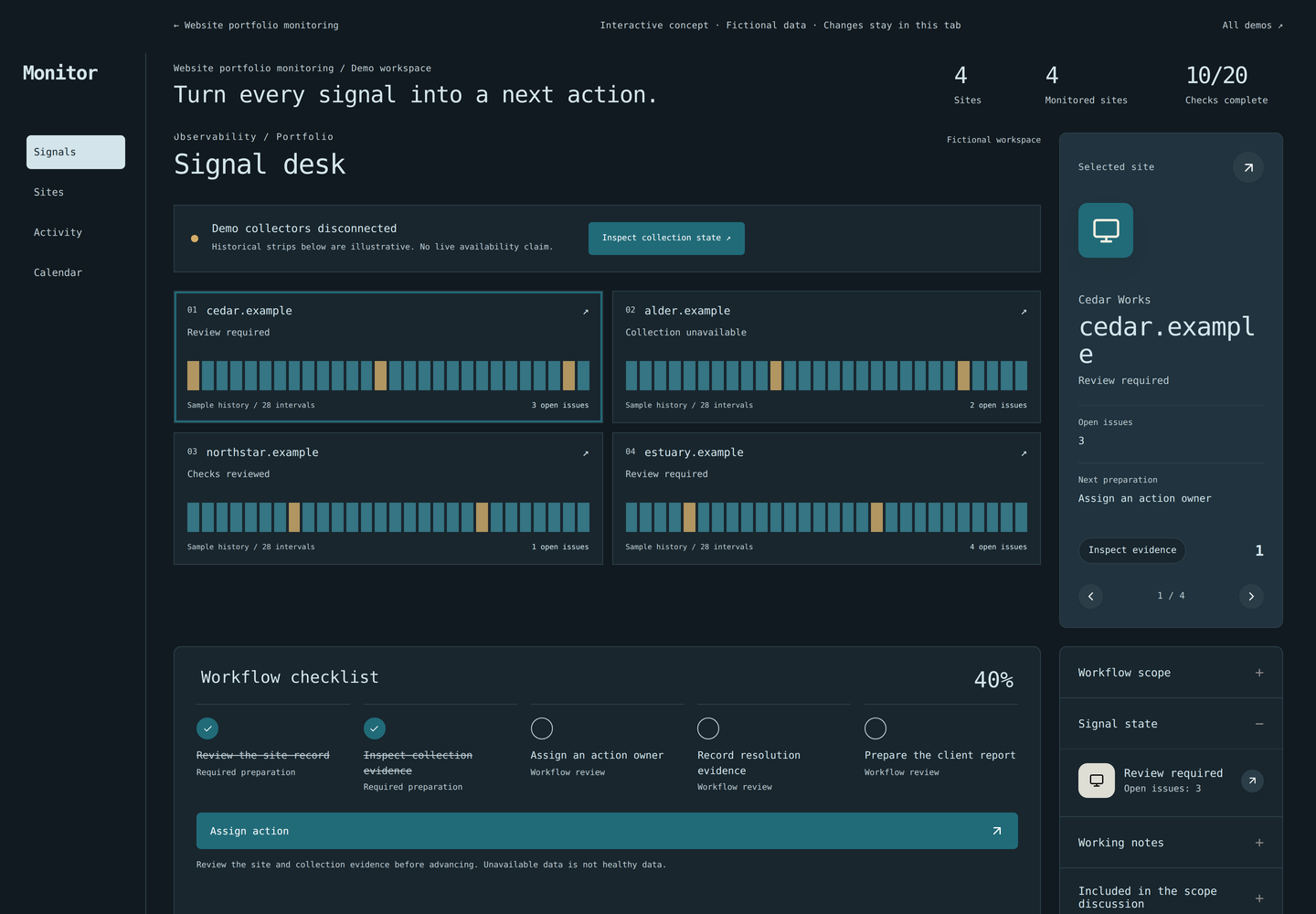
Implementation & fit
Define your version
before rollout.
Collection permissions, crawl budgets, monitored checks and provider limits are agreed in the scope.
When another tool may be a better fit
A promise of better search rankings or a replacement for every crawler and reporting integration.
Useful success measures
- Stale monitored properties
- Action resolution time
- Reopened issues
- Report preparation time
Measures to agree and establish a baseline for; no performance result is promised.
Common questions
Before we talk.
Can I sign up and use every feature immediately?
These are configured implementations. We first agree the edition, scope and required integrations. The catalogue describes source capabilities, rather than an instant subscription entitlement.
Can this use my branding?
Branding, domain, user access and customer data boundaries can form part of the implementation brief. We confirm what is supported and test it for the agreed edition.
What should I bring to the first conversation?
Which site problems do you need to detect, and who should act on each one? A short description is enough to begin; please do not send customer records or credentials.